Step Throughmove and finish after your dribble ends.
Hold and move R3 after the dribble ends 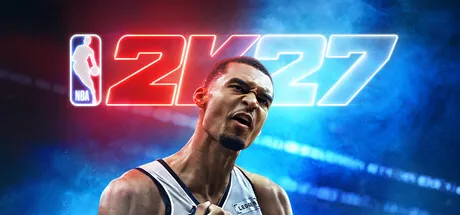 Steam
Steam Every guide tells you to flick the right stick and then leaves you alone with it. Say what you are trying to do and get the input; then perform it on your own pad and find out whether your hand produced the direction you meant, or something thirty degrees off it.
Press something on your pad — the drawing lights up what the browser sees.
Nobody searches for "Pro Stick down-left". They search for "how do I get past my defender". Type what you are trying to do; the buttons come from the verified controls entry, the phrasing is ours.
21 moves are covered, grouped by what they are for: beating your defender, finishing at the rim, creating space, stopping them scoring and moving the ball. 8 of them use the Pro Stick, and those are the ones the trainer below can actually check.
The game maps the eight stick directions to different moves, so thirty degrees off a crossover is a different move entirely. Pick one, perform it, and read back what the controller actually sent — the angle, how far the stick travelled, how long it stayed out, and whether it came home to centre.
This panel reports the controller, never the game. The browser cannot see whether 2K played the animation; it can see exactly what your pad sent.
Nothing here is stored or sent anywhere. If the stick settles well away from centre, that is drift rather than technique — the stick drift test measures it properly.
2K uses more of the pad than almost anything else you play: both sticks including their clicks, both triggers through their full travel, both bumpers and all four face buttons. Work through the list — a bumper that only registers sometimes costs you an ability, not a frame.
A detected input means the browser saw it. It is not a certificate that the pad is healthy, and a control the browser never sees may still be a driver problem rather than a broken button.
R3 alone is the Pro Stick, the shot, the layup, five dribble moves and three defensive stances depending on what else you are holding. The table below is the same data; this is the version you can explore.
Tap a control on the pad drawing at the top of the page to change what is listed here.
Read off the in-game Learn 2K Controls screens and dated 29 September 2026. These are additions, not a full comparison against 2K26 — we do not hold a verified 2K26 map, and guessing one would be worse than leaving it out.
Hold and move R3 after the dribble ends R1 + aim R3 Hold R3 up Hold R3 down Hold L2 + tap R3 Hold L2 + hold R3 up Hold L2 + hold R3 down Hold Circle + tap L2 or R2 Hold Circle + press L3 PlayStation and Xbox side by side, verified 29 September 2026. NBA 2K27 on PC uses the same pad layout; the keyboard map mirrors it from Settings › Controller Settings.
| Action | PlayStation | Xbox | Group |
|---|---|---|---|
| Move player | L3 | LS | Offense basics |
| Sprint | R2 | RT | Offense basics |
| Shoot (button) | Square | X | Offense basics |
| Pass | Cross | A | Offense basics |
| Bounce pass | Circle | B | Offense basics |
| Lob pass | Triangle | Y | Offense basics |
| Pro Stick | R3 | RS | Offense basics |
| Jump shot | Hold Square or R3 down | Hold X or RS down | Shooting & finishing |
| Layup | R3 up while driving | RS up while driving | Shooting & finishing |
| Quick scoop layup | R3 left / right while driving | RS left / right while driving | Shooting & finishing |
| Runner / floater | R3 down while driving | RS down while driving | Shooting & finishing |
| Dunk | R2 + R3 up | RT + RS up | Shooting & finishing |
| Step Through | Hold and move R3 after the dribble ends | Hold and move RS after the dribble ends | Shooting & finishing |
| Crossover | R3 up | RS up | Pro Stick dribbling |
| Between the legs | R3 left | RS left | Pro Stick dribbling |
| Behind the back | R3 down-left | RS down-left | Pro Stick dribbling |
| Stepback | R3 down | RS down | Pro Stick dribbling |
| Spin | Rotate R3 clockwise | Rotate RS clockwise | Pro Stick dribbling |
| Hesitation / size-up | R3 flick towards the ball hand | RS flick towards the ball hand | Pro Stick dribbling |
| Icon pass | R1 then receiver icon | RB then receiver icon | Passing |
| Flashy Pass (no-look, behind the back) | R1 + aim R3 | RB + aim RS | Passing |
| Give and go | Hold Cross until the catch | Hold A until the catch | Passing |
| Alley-oop | Triangle + Triangle | Y + Y | Passing |
| Call for pick / play | L1 | LB | Passing |
| Enter the post | Hold L2 | Hold LT | Post moves |
| Post pivot | Hold L2 + L3 direction | Hold LT + LS direction | Post moves |
| Drop step | Hold L2 + L3 towards the hoop + Square | Hold LT + LS towards the hoop + X | Post moves |
| Post hook | Hold L2 + R3 up-left / up-right | Hold LT + RS up-left / up-right | Post moves |
| Post fade | Hold L2 + R3 left / right away from the basket | Hold LT + RS left / right away from the basket | Post moves |
| Post spin / drive | Hold L2 + rotate R3 to the shoulder | Hold LT + rotate RS to the shoulder | Post moves |
| Intense-D | Hold L2 | Hold LT | Defense |
| Steal | Square | X | Defense |
| Block / rebound | Triangle | Y | Defense |
| Take charge | Circle | B | Defense |
| Shot contest | R3 up then release | RS up then release | Defense |
| Aggressive Hands Up | Hold R3 up | Hold RS up | Defense |
| Conservative Hands Up | Hold R3 down | Hold RS down | Defense |
| Cut Off Move | Hold L2 + tap R3 | Hold LT + tap RS | Defense |
| Face Match Up | Hold L2 + hold R3 up | Hold LT + hold RS up | Defense |
| Face Ball | Hold L2 + hold R3 down | Hold LT + hold RS down | Defense |
| Box out | Hold L2 after the shot | Hold LT after the shot | Off-ball defense |
| Deny / hands out | R3 any direction | RS any direction | Off-ball defense |
| Adjust screen facing | Hold Circle + tap L2 or R2 | Hold B + tap LT or RT | Screens |
| Flip screen | Hold Circle + press L3 | Hold B + press LS | Screens |
| Pause / menu | Options | Menu | Interface |
This page reads the shape your thumb drew. The table says what every button does, the board says who is worth drawing it with, and the bench says whether the pad is still healthy enough to draw it.
Artwork via Steam .
The trainer reads the pad; these read the hardware behind it, and the reference table behind that.
Checked, dated, and the same wording the reference page uses.
Hold Square on PlayStation or X on Xbox and release on the timing cue, or pull the Pro Stick (right stick) down and release. The Shot Timing Visual Cue setting decides which point of the jumper counts as the release: Jump, Set Point, Push or Release.
Nine inputs: Step Through (hold and move the right stick after your dribble ends), Flashy Pass (R1/RB plus the right stick), Cut Off Move (hold L2/LT and tap the right stick), Aggressive Hands Up (hold the right stick up), Conservative Hands Up (hold it down), Face Match Up and Face Ball (L2/LT plus the right stick up or down), and two screen adjustments on Circle/B. Defense and off-ball defense now share one control map.
When your dribble ends near the rim, hold the right stick and move it in the direction you want to step; the player pivots and finishes. It is the 2K27 replacement for stranded pump-fake finishes.
Tap L1/LB for a screen from the nearest big; hold it to open PlayVision and pick a play. Hold Circle/B and tap L2/LT or R2/RT to rotate the screen angle, or hold Circle/B and press L3/LS to flip it.
Yes. The layout lives in Settings › Controller Settings › Keyboard and mirrors the controller map one to one, and every action on that screen is rebindable. The one thing a keyboard cannot reproduce is the Pro Stick: dribble moves, shot aiming and post moves read the angle you push the stick, and four keys only give you four angles. Everything else plays fine on a keyboard.
You can now. Pass, Bounce Pass, Lob Pass, Shooting and Block were locked in the keyboard rebinding menu during early access; 2K confirmed the bug on 26 August 2026 and shipped the fix two days later. If those five are still greyed out for you, you are on a pre-patch build — update the game.
Unofficial Keymap Labs is not affiliated with, endorsed by or sponsored by 2K, Visual Concepts or the NBA. NBA 2K27 is a trademark of Take-Two Interactive. This page reports what the browser reads from your controller through the Gamepad API — it cannot see the game, so it never claims a move was performed in it. Control data is read from the in-game Learn 2K Controls screens and dated above.

I answer from this site only — the 28 browser tests, the controls library for 46 games, the sensitivity converters and the two games. I can tell you which page to open, how a tool works and what its result means.
I will not guess. If something is not on the site, I will say so.
Answers come from this site's pages.
 #1
#1  #2
#2  #3
#3  #4
#4