
PROPWASH: a realistic FPV drone simulator, free in the browser
PROPWASH is an FPV drone simulator that runs in the browser: free, with nothing to download and no account. You fly a 5-inch freestyle quad, in angle mode or in acro on Betaflight rates, with a keyboard, a gamepad, your own radio or a touch screen. There are two spots: a container yard built from scans, sharp right down to the ground, and a quarry in Colorado rebuilt from real drone footage, where the rock you fly past was photographed, not modelled.
A real place, rebuilt from drone footage
The spot is the Marsh-Felch Quarry in Garden Park, Colorado, one of the dinosaur quarries of the 1870s and 1880s. In July 2024 the USGS National Uncrewed Systems Office flew a survey drone over it and published the footage as public domain. PROPWASH takes 279 frames from 6 of those passes, works out where the camera stood for each one with COLMAP, and trains a 3D Gaussian splat from them with Brush: nearly a million small, coloured, see-through shapes that together look like the photographs from wherever you are.
The splat is then laid on the USGS 3DEP lidar of the same ground, sampled every metre, so the quarry is at its true size: the pit, the ledges and the spoil heaps are where they are in Colorado, and the quad meets the lidar's ground when it hits something. Around the photographed pit the ground is a real aerial photograph (USDA NAIP, 2023) on the same lidar. Nothing on screen is a painted texture.
One honest limit: the footage was all shot from the air, so within two or three metres of the ground the photographs turn soft. Fly at gate height and the quarry looks like the video it came from.
The second spot: a container yard, built sharp
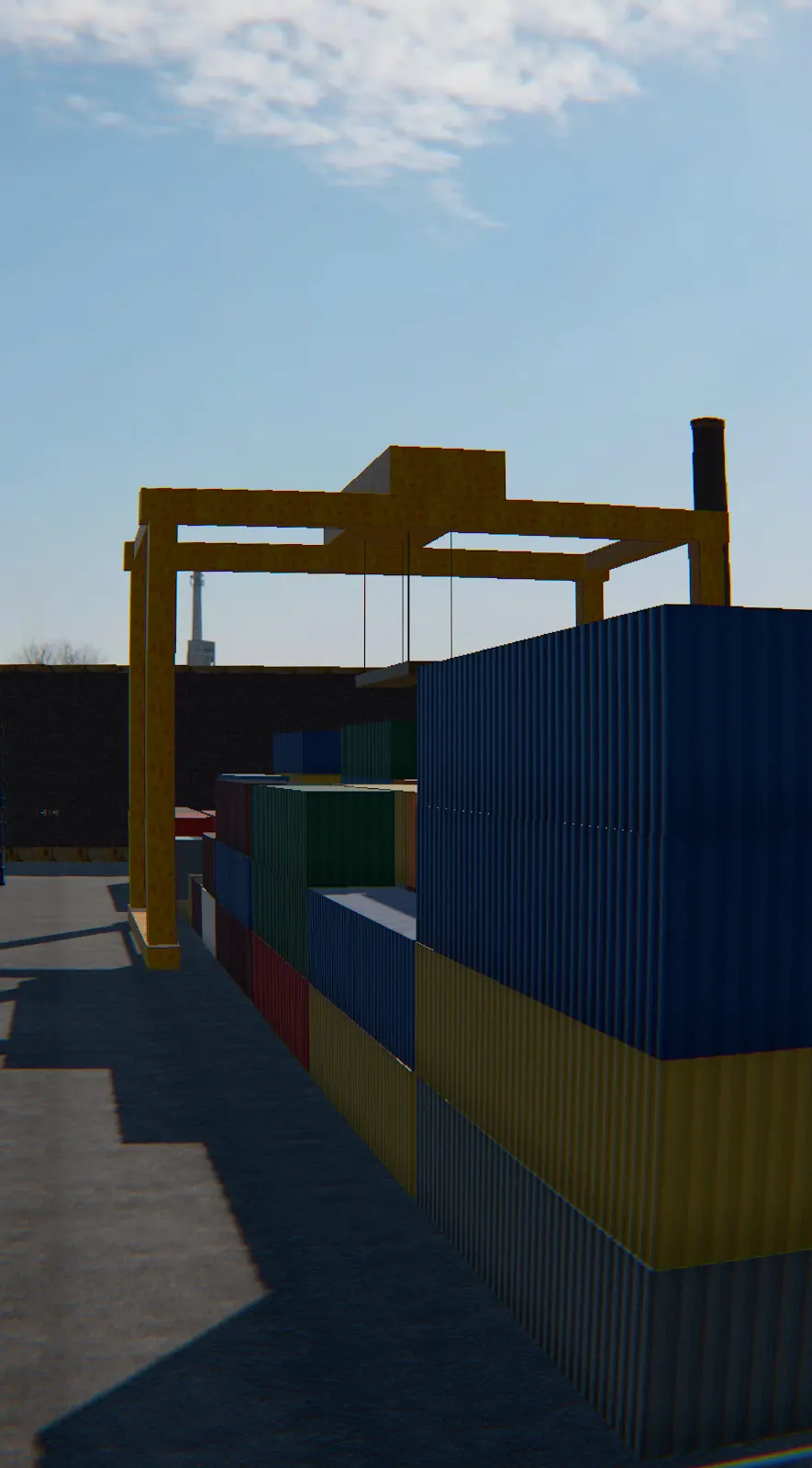
A photographed scene is only as sharp as the camera that flew over it. For a spot that holds up a metre off the ground, PROPWASH also has one built rather than photographed: a fenced container yard of 262 by 192 metres. Every surface in it is a real scan, from container steel and corrugated cladding to asphalt, concrete, brick, roller shutters and rusted steel, a few millimetres to the pixel. The sky and the light are a single 360° photograph of an industrial site, and the sun throws real shadows across the stacks.
- 928 containers in four blocks, stacked one to four high, with corridors 2.6 m wide between their rows: wide enough to fly, not by much.
- A gantry crane 20 m tall straddling the north-east block, with a corridor running under it between its legs.
- Three warehouses, the middle one open at both ends with an overhead crane inside, so the course goes in one door and out the other.
- A brick factory with a 44 m chimney, and fifteen gates that thread all of it.
Here the quad meets everything it can see: the containers, the walls, the crane's legs and the lamp posts are solid, a glancing touch scrapes along them, a hard hit ends the run, and you can land on top of a stack.
How the quad flies
The quad is simulated the way its flight controller meets it, 240 times a second whatever your screen does: four motors that take a moment to spin up, a mixer with air mode, a rate controller on each axis, and a pack that sags when you punch out.
| Part | In PROPWASH |
|---|---|
| Frame | 5-inch, 220 mm motor to motor, 680 g ready to fly |
| Motors | 17 N of thrust each on a full pack, about 10.2 times the quad's weight in all |
| Battery | 6S 1,300 mAh: the voltage falls under load and over the flight, and the OSD shows it |
| Controller | Air mode, I-term relax, Betaflight classic rates in acro; angle mode levels to 35° |
| Air | Drag on each axis, the props' sideways drag, gusts, and propwash when the quad falls through its own wash |
| Camera | Tilted up 25°, a wide lens that bows straight lines at the edges, digital or analog picture |
Angle mode or acro
The first time you arm, PROPWASH asks whether you have flown FPV before. The answer picks the flight mode; the radio panel changes it later.
CH 1 · Not yet
Angle
The quad levels itself when you let go, stops at 35° of tilt and holds its height while the throttle is centred. The sticks tilt it; they never flip it. The keyboard flies this way.
CH 2 · Yes, give me acro
Acro
The sticks set how fast the quad rotates, on Betaflight's default rates, with air mode and a real throttle. Nothing levels it for you: this is how FPV pilots fly, and the only way to flip and roll.
Rates you can take to your real quad
The rates are Betaflight's classic rates, three numbers per axis. The radio panel draws the curve they make, degrees per second against stick, and copies them as Betaflight CLI lines.
| Preset | RC rate | Super rate | Expo | Full stick | For |
|---|---|---|---|---|---|
| Default | 1.00 | 0.70 | 0.00 | 667°/s | Betaflight’s own rates: what a new flight controller arrives with. |
| Freestyle | 1.15 | 0.75 | 0.15 | 920°/s | A softer centre for smooth lines, a faster end for flips and rolls. |
| Cinematic | 0.80 | 0.50 | 0.35 | 320°/s | Slow and even, for following a line the way a filming pilot does. |
The Freestyle preset, as Copy for Betaflight CLI puts it on your clipboard (roll and pitch; yaw is gentler):
set rates_type = BETAFLIGHT
set roll_rc_rate = 115
set pitch_rc_rate = 115
set yaw_rc_rate = 100
set roll_srate = 75
set pitch_srate = 75
set yaw_srate = 65
set roll_expo = 15
set pitch_expo = 15
set yaw_expo = 0
save
Controls
A gamepad or a USB radio is picked up as soon as you move a stick. The keyboard flies in angle mode.
| Action | Keyboard | Gamepad or radio (mode 2) | Touch screen |
|---|---|---|---|
| Throttle | W / S | Left stick, up and down | Left thumb, up and down |
| Yaw | A / D | Left stick, left and right | Left thumb, left and right |
| Pitch | ↑ / ↓ | Right stick, up and down | Right thumb, up and down |
| Roll | ← / → | Right stick, left and right | Right thumb, left and right |
| Arm | Enter, or the switch | The switch | The switch |
| Disarm | Esc | Land, or Esc | Land, or the small switch at the top |
| Change camera | C | C | The camera button on the right edge |
| Tilt the camera, or raise the chase camera | Q / E, or the mouse wheel | Q / E | Hold ▲ or ▼ on the right edge |
| Look left and right, or go round the quad | Z / X, or drag the picture | Z / X | Not on touch |
| Centre the camera | V | V | Not on touch |
| Start again from the pad | R | A, after a crash | Tap the screen, after a crash |
A radio in USB joystick mode (EdgeTX or OpenTX) does not report its sticks in a standard order, so PROPWASH asks to calibrate it once: every stick to every corner, then each one pushed the way it asks. Before your first flight, the gamepad tester shows what your controller really sends, and the stick drift test whether its sticks come back to centre.
Three cameras
- FPV is the goggles: the camera on the quad's nose, tilted up 25° so you can fly fast and still see ahead.
- Chase follows 1.5 m behind and a little above, so you can see what the quad does in a turn.
- Line of sight is you, standing 6 m behind the landing pad with your eyes 1.7 m up, watching the quad get smaller.
Every camera can be moved while you fly. In the goggles, Q and E tilt the camera and Z and X, or a drag on the picture, look left, right, up and down; let go and the view comes back to the front, the way a head tracker's does. Behind the quad the same keys and the drag take the chase camera round it, higher or lower, and the mouse wheel brings it in or out. On the pad, the wheel zooms. V puts every camera back where it started.
The survey line, and the edge of the map
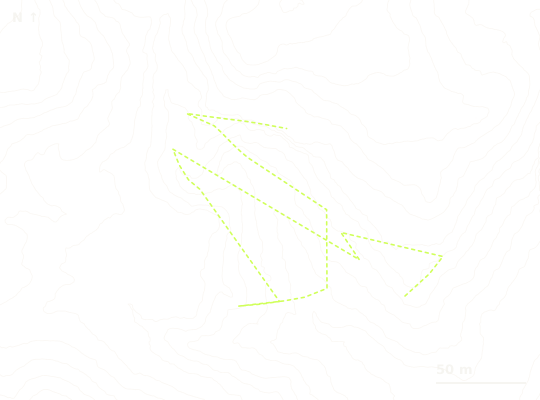
Fifteen gates stand along the line the survey drone itself flew to photograph the quarry, 576 m of it from the first gate to the last. The OSD keeps the time; your best stays in your browser. Every flight starts from an orange pad on flat ground just outside the pit, and a flight that ends slow and low on the ground disarms itself.
The photographs cover the quarry and not the hills around it, so the link does what a real video link does when you fly too far: it is full within 340 m of the middle, breaks up as you go further, and is gone by 450 m, near the edge of the lidar. It also fades once you climb well above the height the survey drone flew at. After two and a half seconds without a picture the failsafe brings the quad back to the pad.
Twelve languages
The interface speaks English, Español, Português (Brasil), Deutsch, Français, Italiano, Polski, Русский, 日本語, 한국어, 繁體中文 and Bahasa Indonesia, each translated by hand. Betaflight's own words stay as pilots read them on every radio and OSD: ARM, ANGLE, ACRO, THR. Pick a language on your first visit, or change it from the top right of the screen.
What it needs
A browser with WebGL 2: a current Chrome, Edge, Firefox or Safari. A spot downloads about 30 MB the first time (the photographed scene for the quarry; the scanned surfaces, models and sky for the yard), and after that your browser keeps it. On a laptop's integrated Intel graphics the yard runs at 60 frames a second and the quarry at about 58, the picture's resolution stepping down on its own when frames begin to drop.
Questions
- Is there a free FPV simulator with no download?
- Yes: PROPWASH is free and there is nothing to install. The simulator is this web page: it runs on WebGL 2 in the browser, needs no account and asks for no payment. Your rates, camera and best time are kept by your own browser and never leave the device.
- What maps are there?
- Two. The Marsh-Felch Quarry in Colorado, a real place photographed by a survey drone and rebuilt as a 3D Gaussian splat; and a container yard of 262 by 192 metres, built from scanned materials so it stays sharp right down to the ground: 928 shipping containers in four blocks, three warehouses, a brick factory with a 44 m chimney and a gantry crane. Switch between them with the Change map strip on the field card; the yard is where a first visit starts.
- How realistic is PROPWASH?
- The flying is simulated the way a flight controller meets it, 240 times a second: motors that take a moment to spin up, air mode, I-term relax, Betaflight rates, a 6S pack that sags when you punch out, gusts, and propwash when the quad drops through its own wash. The places are real too: the quarry is rebuilt from photographs of a real pit at its true size, and every surface in the container yard is a scan. The sound is recorded from real quads. The honest limit is the quarry close to the ground: within two or three metres of it the photographs turn soft.
- Is the quarry a real place?
- Yes. It is the Marsh-Felch Quarry in Garden Park, Colorado, rebuilt from public-domain drone footage that the USGS National Uncrewed Systems Office shot in July 2024: 279 frames from 6 passes, turned into a 3D Gaussian splat and laid on the USGS lidar of the same ground, so it is at its true scale. Around the photographed pit the ground is a real aerial photograph.
- Can I fly it with a controller or my FPV radio?
- Yes, both. An Xbox or PlayStation controller, or any standard gamepad, works as it is, in mode 2: throttle and yaw on the left stick, pitch and roll on the right. Plug in an EdgeTX or OpenTX radio over USB in joystick mode and PROPWASH offers to calibrate it: move the sticks to their corners, then push each one in the direction asked. The mapping is remembered for that radio.
- Should I start in angle mode or acro?
- If you have not flown FPV, start in angle mode: the quad levels itself, stops at 35° of tilt and holds its height while the throttle stick is centred. Acro is how FPV pilots fly: the sticks set how fast the quad rotates, nothing levels it for you, and the throttle is a real throttle. PROPWASH asks which on the first flight, and the radio panel switches between them.
- How do I learn to fly FPV with it?
- Start in angle mode in the container yard: take off from the pad, hold a steady hover, then follow the gates at a walking pace. When the gates are easy, switch to acro on the Default rates, climb well clear of the stacks and practise hovering and slow turns before any flip; the Freestyle rates come after that. Fly acro with a gamepad or your radio rather than the keyboard, because the thumbs need the stick’s whole travel.
- What is propwash?
- Propwash is the shaking a quad gets when it drops through the turbulent air its own props have just pushed down: after a dive, a tight turn or a fast descent with the throttle low. PROPWASH simulates it, so a hard descent wobbles the picture the way it does on a real 5-inch quad, and a little throttle on the way down calms it.
- Can I use the same rates on my real quad?
- Yes. The rates are Betaflight’s classic rates (RC rate, super rate and expo per axis). Copy for Betaflight CLI puts the lines on your clipboard; paste them into the CLI tab of the Betaflight Configurator and the real quad turns as the simulated one does.
- Does it run on a phone?
- Yes, with two thumb sticks that appear where your thumbs touch the screen. The left one is throttle and yaw: push it up to take off and climb, down to descend, sideways to turn; let go and the quad holds its height. The right one tilts the quad to fly forward, back and sideways. To land, come down over flat ground and keep the left thumb low until the motors stop. Buttons on the right edge change the camera and tilt it, and the Radio line under the field card opens the flight mode, rates and a touch sensitivity of low, medium or high. Each spot is a large download, about 30 MB, so a recent phone and a good connection help. Hold the phone sideways.
- Does it run on a Mac or a low-end PC?
- It runs in the browser, so a Mac, a Chromebook and a Windows PC get the same simulator. On a laptop’s integrated Intel graphics the container yard holds 60 frames a second and the quarry about 58. If frames start to drop, the picture’s resolution steps down on its own rather than letting the flight stutter.
- Why does it take a moment before I can fly?
- The quarry is a photographed scene of nearly a million splats, plus the lidar, the aerial photograph and the drone. The front screen is up at once and the spot loads behind it; the arm plate shows how far it has come. The second visit is quick, because your browser keeps what it downloaded.
If you run into any problem with the simulator, please email hello@keymap.io.
Credits
The scene: built from "UAS Footage at Marsh-Felch Quarry site in Colorado", USGS National Uncrewed Systems Office, July 2024 (public domain). The ground: USGS 3DEP 1 m lidar (public domain). The surroundings: USDA Farm Service Agency, National Agriculture Imagery Program, 2023 (public domain). The container yard: its scanned surfaces, its sky and its props from Poly Haven (CC0). The quad: "FPV Drone" by PinaPipe, licensed under CC BY 4.0; its textures were reduced in size and its props separated so they can spin. The sound: recordings by Sadiquecat, qubodup, 5deMayo and LimitlessDrones on Freesound (CC0), cut into loops and pitched to the simulated motors. None of these organisations or people endorses PROPWASH.